Webhooks for call tracking: sending call events to your CRM
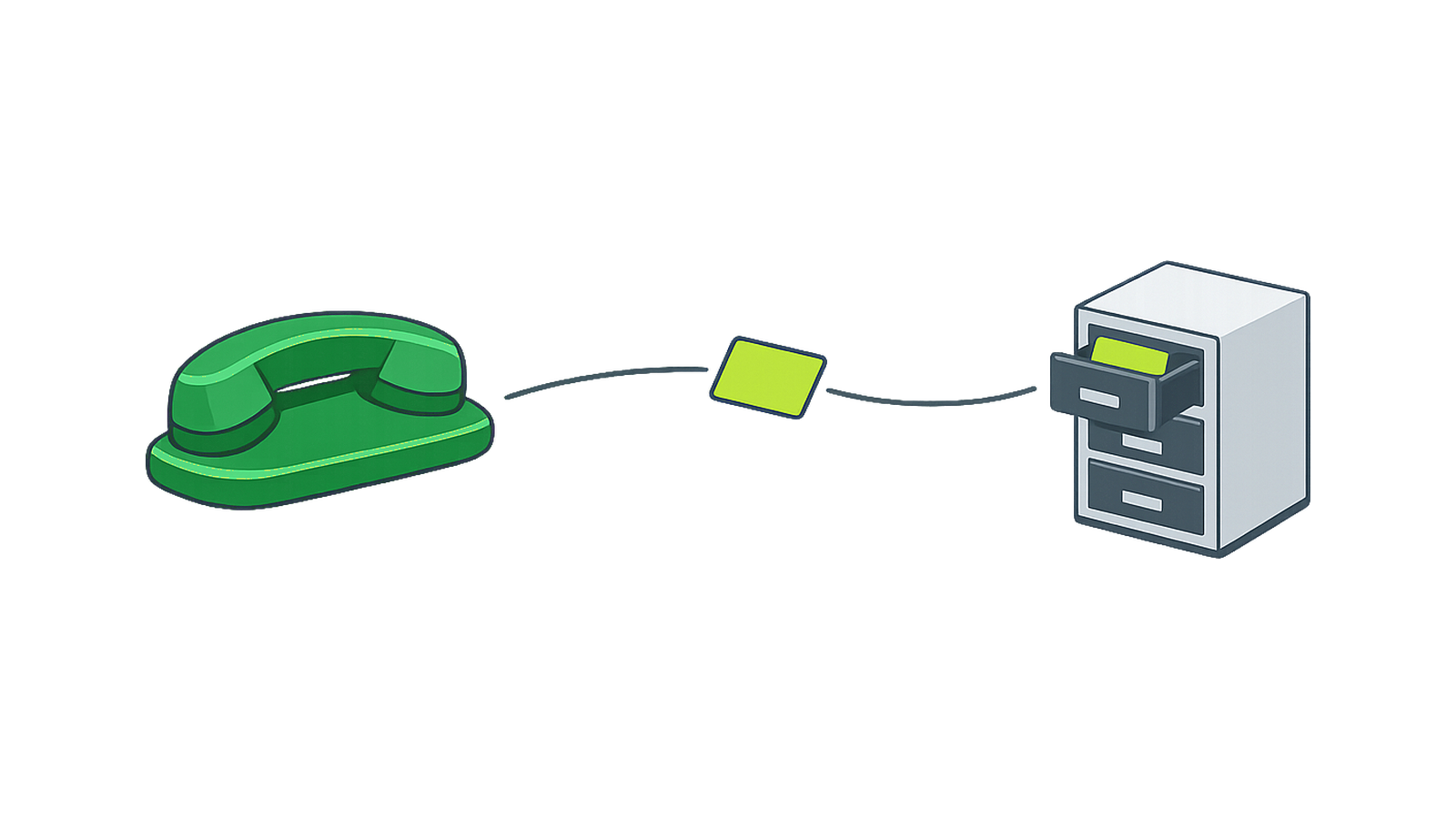
A webhook is an automatic message one system sends another the moment something happens. In call tracking, it sends call and lead data to a URL you choose, such as the one for your CRM.
A CRM, or customer relationship management system, is where a team keeps its contact records. A webhook gets the call into that record without anyone exporting a file.
Which CRM supports custom webhooks and callbacks?
Two sides have to work. Your CRM has to accept incoming requests at a URL, and your call platform has to send them.
The receiving side is a question for your CRM's own documentation. Look for an inbound webhook or an API endpoint.
The sending side is what this page covers. TrackDrive's custom webhooks "send real-time call and lead data to any endpoint the moment events happen."
A callback here means an HTTP callback: a web request sent to a URL when an event occurs. It isn't a phone callback, where someone rings a lead back.
How a webhook works, step by step
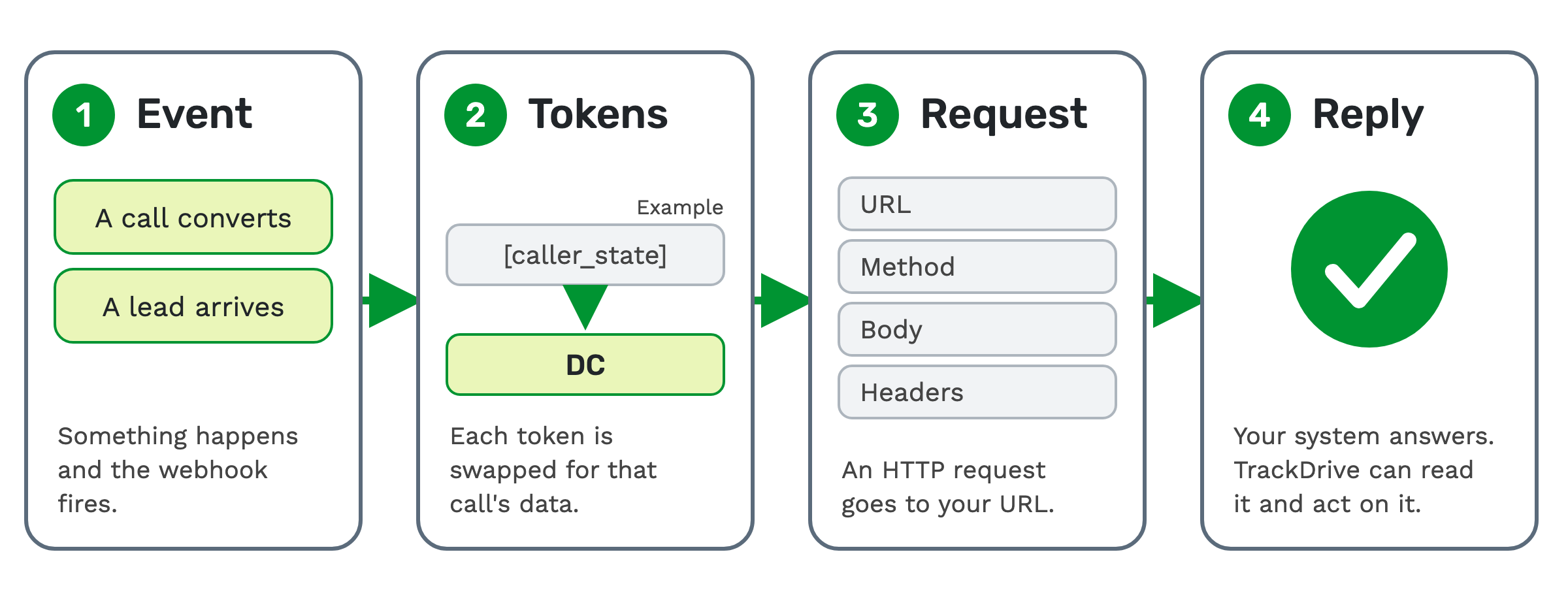
1. Event. Something happens, such as a call converting or a lead arriving.
2. Tokens. A token is a named placeholder that gets replaced with a real value. TrackDrive swaps each token in your request for that call's data.
3. Request. TrackDrive sends an HTTP request, the standard message one web system sends another, to your URL.
4. Reply. Your system answers. TrackDrive can read that reply and act on it.
What can trigger a webhook
A trigger is the event that makes a webhook fire. TrackDrive lists over 30 webhook triggers.
Its feature page names seven categories: the call lifecycle, conversions, data changes, recordings, conference events, leads and agent status.
The trigger names in its API reference include:
- A new call starting, a call changing, or a call that didn't convert.
- A call's disposition changing, or a call recording being updated.
- A buyer being dialed, a buyer answering, or a buyer or an offer converting.
- A new lead being created, a lead changing, or a lead opting out.
- Contact fields changing, or an agent going online or offline.
- A buyer, an agent or a consumer entering or leaving a conference.
A disposition is an outcome an agent or the system assigns after a call, such as "not qualified" or "left a voicemail".
A webhook can also wait. Set a connected duration, and it fires only after the buyer has been connected with the caller for that many seconds. If the call ends sooner, it doesn't fire.
If you transcribe calls, keyword matches can fire webhooks too.
Where a webhook is set up
In TrackDrive, outgoing webhooks sit under Integrations, then Event Triggers. A global event trigger fires for all calls. A local one is configured on a specific buyer or offer.
What goes in the request
The payload is the data a request carries. On TrackDrive you write it yourself, in fields on each URL row:
- Request URL. The full address, with tokens allowed.
- HTTP method. Such as GET, POST, POST_BODY, PUT, DELETE or PATCH.
- Request body. Optional, with tokens allowed. A custom body can be JSON or XML.
- Request headers. Free-form, one per line.
Tokens are written in square brackets, so [caller_state] becomes the caller's state. The
system token categories cover caller geography, durations,
buyer and offer details, recording URLs, and transcription text. Custom tokens hold your own fields, such as a loan
amount.
Receivers often want a phone number in one exact format, so pick the token whose output matches what the receiver asks for.
Outgoing webhooks have no separate login fields. Basic or Bearer authentication goes in the Authorization header.
A worked example: a converted call reaches your CRM
This example is invented: the address, the field names, the caller and the buyer. Use the field names your CRM's documentation asks for.
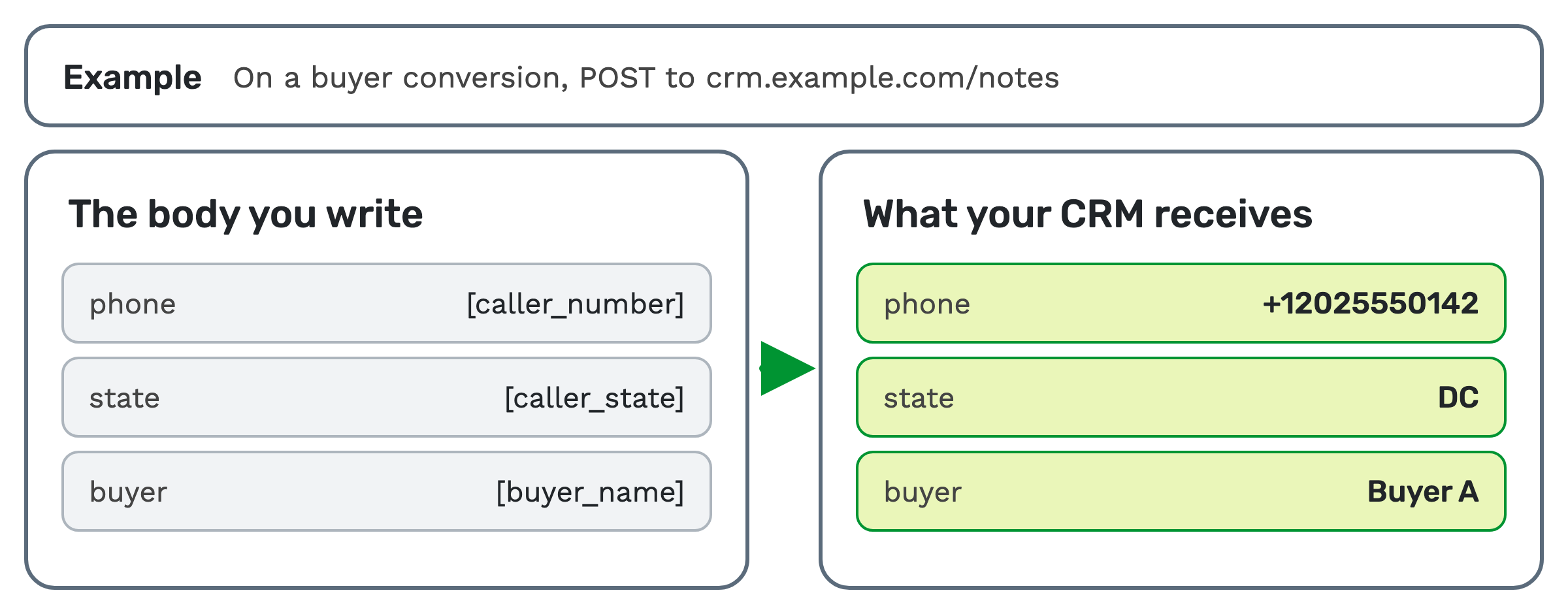
Say you want each converted call sent to your CRM. You'd add a trigger on a buyer conversion. It would send a POST
request to https://crm.example.com/notes, with a Content-Type: application/json header and your key in the
Authorization header. The body you write is:
{
  "phone": "[caller_number]",
  "state": "[caller_state]",
  "buyer": "[buyer_name]"
}
When an invented call from 202-555-0142 converts, your CRM receives:
{
  "phone": "+12025550142",
  "state": "DC",
  "buyer": "Buyer A"
}
Reading the reply
Three fields decide what TrackDrive does with the response.
- Was The Response Acceptable? A condition that decides whether the reply counts as a success.
- Extract Value From Response Body. A regex, JSON path or XPath expression that pulls out one value.
- Check If Response/Extracted Value Contains. A test on the raw reply or the extracted value.
Together they let you treat a 200 response with a body of {"status":"rejected"} as a failure.
An extracted value can be stored as a token on the call or lead. It can then be reused for routing decisions, reports or later webhooks. In the example above, that could be the record ID your CRM sends back.
If you turn on retries for a URL, a failed request is tried again, up to the limit you set. The API also has a resource for viewing webhook request logs.
A webhook that runs before the dial
Most webhooks report what already happened. A pre-action trigger fires before the action, and its reply decides what happens next.
A pre-dial trigger can cancel the dial to a buyer before it rings, so the next buyer is tried. That happens when your system returns a rejection response. TrackDrive's feature page gives three uses:
- Validate leads against external systems before placing calls.
- Check real-time inventory or availability before connecting.
- Enforce custom business rules that live outside TrackDrive.
For how the next buyer is chosen, see how to route inbound calls.
Postbacks: a webhook pointed at your traffic source
A traffic source is an entity that sends leads or calls into TrackDrive. A postback is an HTTP callback sent to that source when an event occurs on its leads. Postbacks run on the same outgoing webhook system.
The most common postback is a conversion notification. Each source can have one or more URLs, ordered by priority.
A postback goes server to server, so it doesn't depend on the consumer's browser and can't be blocked by ad blockers. It can fire on call answered, call duration reached, conversion recorded and conversion reversed.
Inbound webhooks run the other way. An inbound webhook is the public endpoint a traffic source posts a lead into, with either a ping or a post. You can limit its requests per minute, per hour and per day, and set limits per traffic source.
Simpler ways to connect
Not every connection needs a custom trigger.
Webhook subscriptions. You give a URL and pick from 11 event types, such as new call, call ended, new lead and lead converted. TrackDrive sends a JSON POST to your endpoint. You can filter by offer, schedule, traffic source, buyer, telephone number and conversion status.
Zapier. Zapier has three TrackDrive triggers: New Call, Call Ended and New Lead. It connects TrackDrive to more than 1,000 web applications, so check that your CRM is one of them.
Listed integrations. The integrations page lists these three, among others:
- Salesforce: view call activity and lead attribution within Salesforce.
- Zoho CRM: pushes calls, contacts and notes into Zoho, and can update or convert leads.
- Infusionsoft: sync leads as contacts and create notes on them.
If your CRM isn't listed, a webhook is the route to check first.
Schedules. A schedule is an ordered sequence of actions run on a lead. One schedule action, Webhook, fires an HTTP request with a JSON or form payload. Speed to lead shows schedules at work.
When a webhook is more than you need
If you only need call data on a set day, a data export may be enough. Data exports put calls and call recordings in a CSV file, once or on a schedule.
A webhook earns its place when another system has to act on a call as it happens.
What a schedule's webhook step costs
A webhook step in a schedule is a billable schedule step, charged at a per-action rate. See TrackDrive pricing for the rate. There's no onboarding fee.
Questions people ask
What format does a webhook send? With a custom trigger, you write the body, as JSON or XML. A webhook subscription sends JSON. A schedule's webhook step sends a JSON or form payload.
Is a postback different from a webhook? On TrackDrive, a postback is an outgoing webhook sent to a traffic source. Its API reference calls them "Webhooks (also known as Postbacks)".
Can a webhook change where a call goes? Yes. A pre-dial trigger can cancel the dial to a buyer before it rings, so the next buyer is tried. A value extracted from a reply can also be reused for routing decisions.
Does TrackDrive have a connector for my CRM? Check the integrations page. If your CRM can accept a request at a URL, a webhook can send to it.
See it in action
Request a demo for a live walkthrough tailored to your use case, or start free, with no credit card and no onboarding fee.